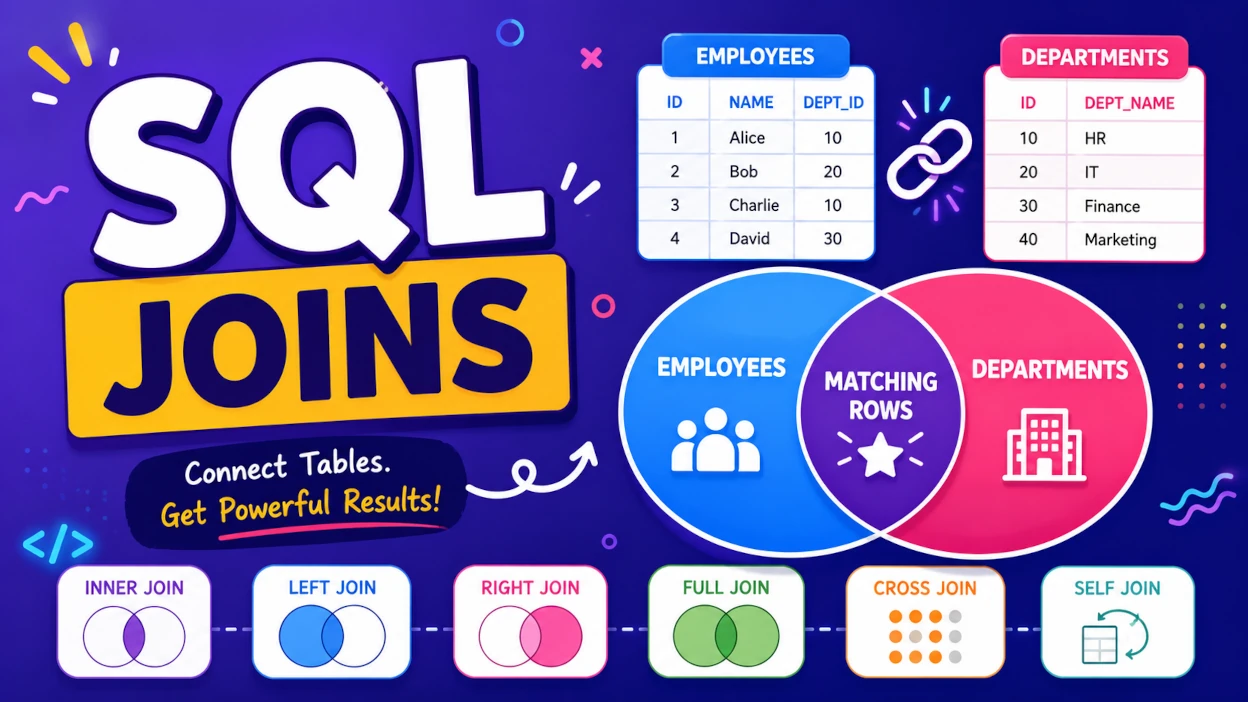
SQL Joins are one of the most important DBMS topics for competitive exams and technical interviews. Questions are usually conceptual and require you to identify which rows will appear in the result after applying a specific JOIN.
Instead of memorizing definitions, learn what each JOIN returns. Once you understand that, solving SQL Join questions becomes much easier.
Most competitive exams ask output-based questions on SQL Joins rather than definitions. Focus on understanding the result of each JOIN.
Quick Revision Cheat Sheet
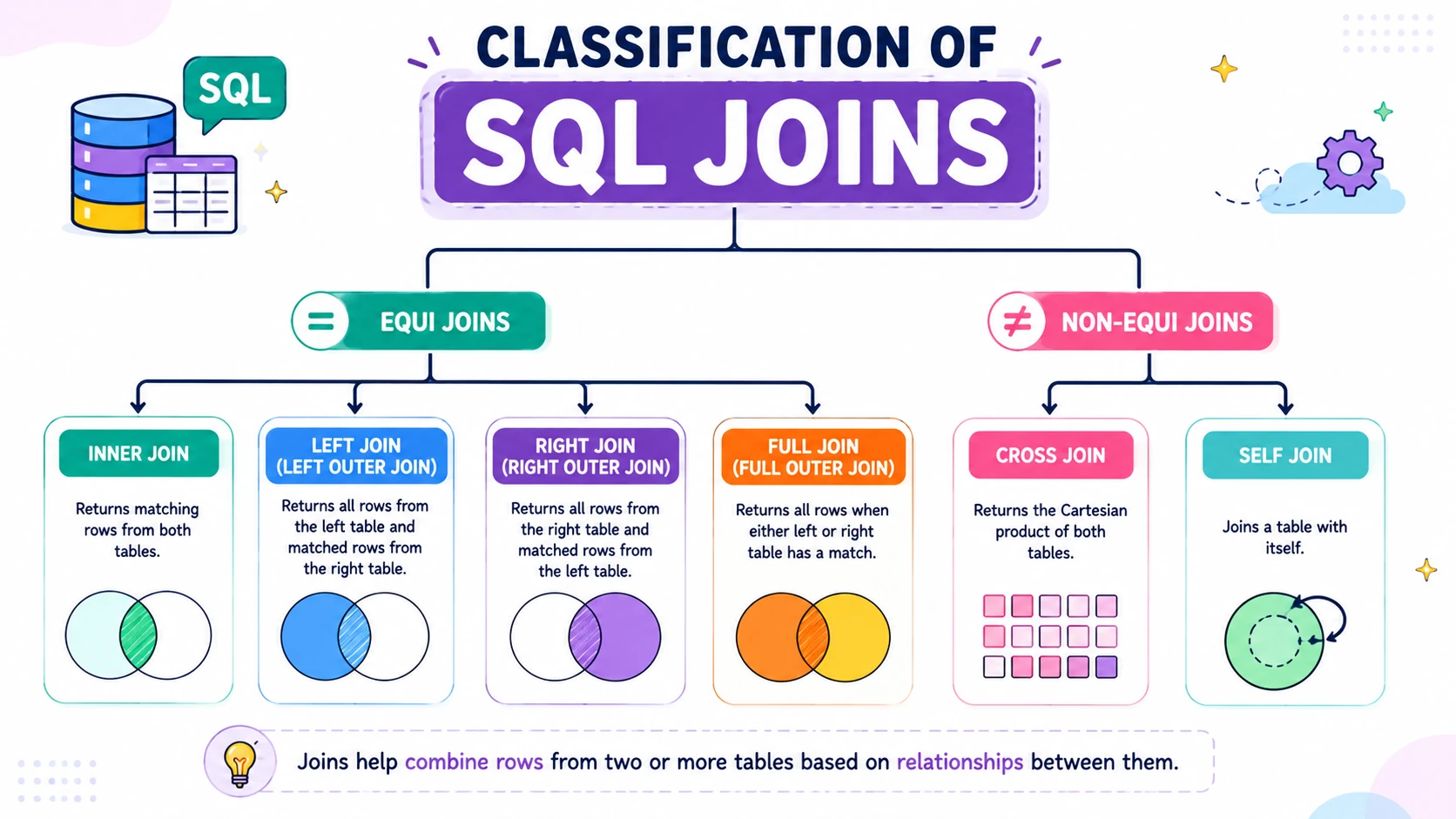
| Join | Returns |
|---|---|
| INNER JOIN | Only matching rows |
| LEFT JOIN | All rows from the left table + matching rows from the right table |
| RIGHT JOIN | All rows from the right table + matching rows from the left table |
| FULL OUTER JOIN | All rows from both tables |
| CROSS JOIN | Cartesian Product |
| SELF JOIN | Same table joined with itself |
Why Are SQL Joins Needed?
In a relational database, related information is stored in separate tables to reduce redundancy.
For example:
- Employee details are stored in one table.
- Department details are stored in another table.
To display an employee along with the department name, SQL combines data from both tables using a JOIN.
Sample Tables
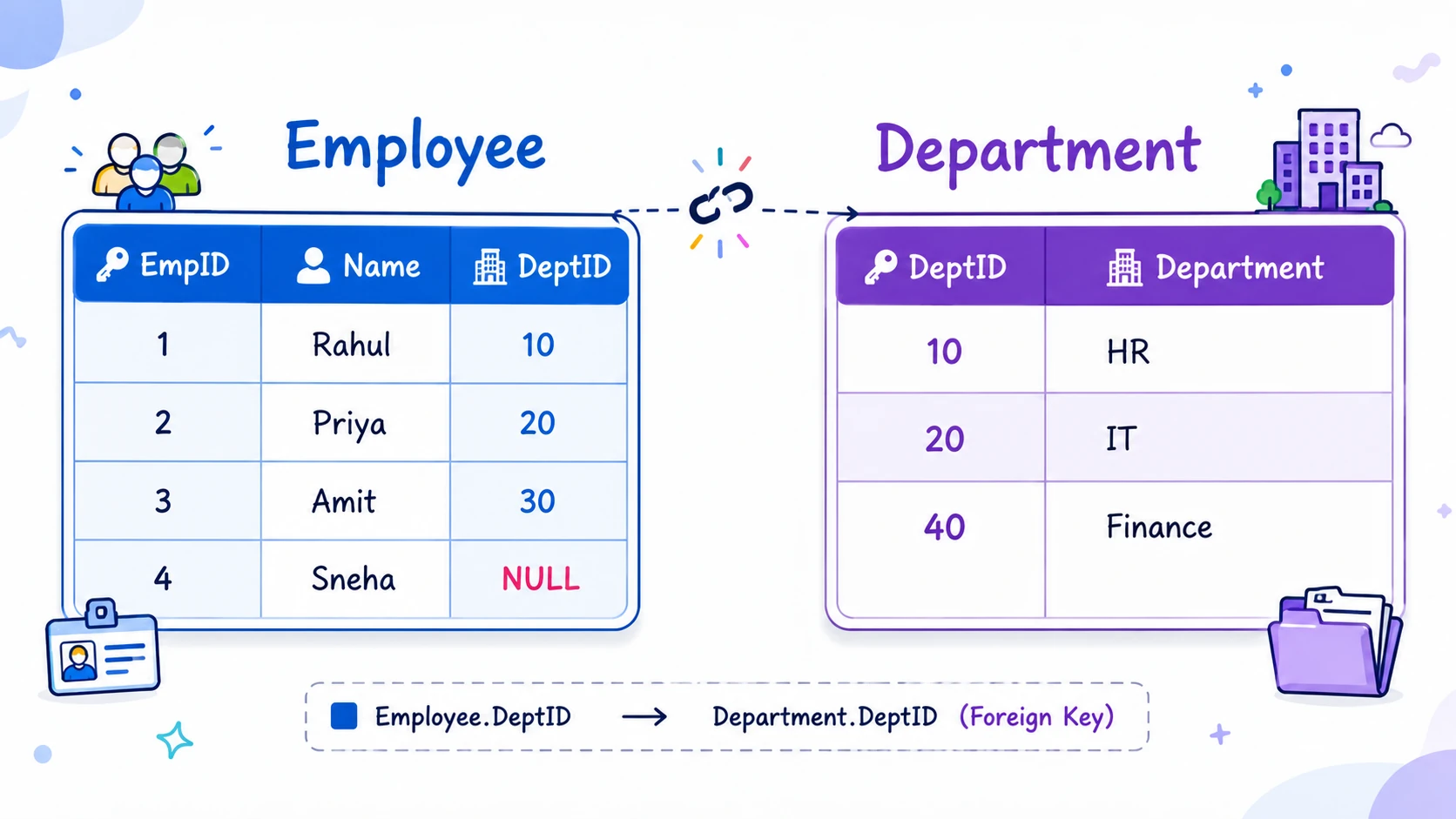
We'll use these two tables throughout the article, so it's worth keeping them in mind as you read.
Employee
| EmpID | Name | DeptID |
|---|---|---|
| 1 | Rahul | 10 |
| 2 | Priya | 20 |
| 3 | Amit | 30 |
| 4 | Sneha | NULL |
Department
| DeptID | Department |
|---|---|
| 10 | HR |
| 20 | IT |
| 40 | Finance |
Notice the mismatch on purpose: Amit (DeptID 30) and Sneha (no DeptID) don't have a matching department, and Finance (DeptID 40) has no employee. This mismatch is exactly what makes the different JOIN types behave differently — keep an eye on these four "odd ones out" as we go.
Understanding How a JOIN Works
Every JOIN follows the same two-step logic — only the final "keep or discard" rule changes.
| Step | What Happens |
|---|---|
| 1. Compare | SQL compares the matching column in both tables — here, Employee.DeptID = Department.DeptID |
| 2. Decide | Based on the JOIN type, SQL decides which matched and unmatched rows to keep in the result |
   Employee Table  ──┐
                      ├──►  Compare on Employee.DeptID = Department.DeptID  ──►  Apply JOIN rule  ──►  Result
   Department Table ─┘
Everything below is really just six different answers to "what do we keep in step 2?"
The Six JOIN Types — Set View
Before the details, here's how each JOIN maps to the three possible regions: rows only in the left table, rows that match in both, and rows only in the right table.
| JOIN | Left-only rows | Matching rows | Right-only rows |
|---|---|---|---|
| INNER JOIN | ❌ | ✅ | ❌ |
| LEFT JOIN | ✅ | ✅ | ❌ |
| RIGHT JOIN | ❌ | ✅ | ✅ |
| FULL OUTER JOIN | ✅ | ✅ | ✅ |
| CROSS JOIN | — (not row-matched; every row × every row) | ||
| SELF JOIN | — (same table compared against itself) |
Keep this table in mind — every join below is just one row of it, explained in detail.
1. INNER JOIN
An INNER JOIN returns only the rows where the matching condition is satisfied in both tables.
Syntax
SELECT *
FROM Employee
INNER JOIN Department
ON Employee.DeptID = Department.DeptID;
Set Diagram
   Employee            Department
 ┌───────────┐       ┌───────────┐
 │ Amit      │       │           │      Only the overlapping
 │ Sneha     │▓▓▓▓▓▓▓│ Finance   │      region (Rahul→HR,
 │           │▓Rahul▓│           │      Priya→IT) is returned.
 │           │▓Priya▓│           │
 └───────────┘       └───────────┘
Result
| EmpID | Name | Department |
|---|---|---|
| 1 | Rahul | HR |
| 2 | Priya | IT |
Only matching rows appear. Employees without a matching department are excluded, and departments without employees are excluded too.
Remember
INNER = Intersection
Think of INNER JOIN as the common portion shared by both tables.
2. LEFT JOIN
A LEFT JOIN returns:
- Every row from the left table
- Matching rows from the right table
If there is no matching row, SQL fills the right-side columns with NULL.
Syntax
SELECT *
FROM Employee
LEFT JOIN Department
ON Employee.DeptID = Department.DeptID;
Set Diagram
   Employee (ALL kept)   Department
 ┌───────────────────┐  ┌───────────┐
 │▓▓▓▓▓▓▓▓▓▓▓▓▓▓▓▓▓▓▓▓│  │           │
 │▓ Amit  → NULL     ▓│  │ Finance   │  (not returned —
 │▓ Sneha → NULL     ▓│  │           │   no employee matches it)
 │▓ Rahul → HR       ▓│▓▓│           │
 │▓ Priya → IT       ▓│▓▓│           │
 └───────────────────┘  └───────────┘
Result
| EmpID | Name | Department |
|---|---|---|
| 1 | Rahul | HR |
| 2 | Priya | IT |
| 3 | Amit | NULL |
| 4 | Sneha | NULL |
All employees are included, even when no matching department exists.
Memory Trick
LEFT = Everything on the LEFT + matches from the RIGHT
Exam Trap: LEFT JOIN never removes rows from the left table.
3. RIGHT JOIN
A RIGHT JOIN works exactly like a LEFT JOIN, but the roles of the tables are reversed. It returns:
- Every row from the right table
- Matching rows from the left table
Syntax
SELECT *
FROM Employee
RIGHT JOIN Department
ON Employee.DeptID = Department.DeptID;
Set Diagram
   Employee              Department (ALL kept)
 ┌───────────┐         ┌───────────────────────┐
 │ Amit      │         │▓▓▓▓▓▓▓▓▓▓▓▓▓▓▓▓▓▓▓▓▓▓▓│
 │ Sneha     │         │▓ NULL   ← Finance     ▓│
 │           │▓▓▓▓▓▓▓▓▓│▓ Rahul  → HR          ▓│
 │           │▓▓▓▓▓▓▓▓▓│▓ Priya  → IT          ▓│
 └───────────┘         └───────────────────────┘
Result
| EmpID | Name | Department |
|---|---|---|
| 1 | Rahul | HR |
| 2 | Priya | IT |
| NULL | NULL | Finance |
The Finance department appears even though no employee belongs to it.
Memory Trick
RIGHT = Everything on the RIGHT + matches from the LEFT
LEFT JOIN and RIGHT JOIN are mirror images of each other.
4. FULL OUTER JOIN
A FULL OUTER JOIN returns:
- All matching rows
- All non-matching rows from the left table
- All non-matching rows from the right table
If no match exists, SQL fills the missing columns with NULL.
Syntax
SELECT *
FROM Employee
FULL OUTER JOIN Department
ON Employee.DeptID = Department.DeptID;
Set Diagram
   Employee (ALL)        Department (ALL)
 ┌───────────────────┐  ┌───────────────────┐
 │▓▓▓▓▓▓▓▓▓▓▓▓▓▓▓▓▓▓▓▓│  │▓▓▓▓▓▓▓▓▓▓▓▓▓▓▓▓▓▓▓▓│
 │▓ Amit  → NULL     ▓│  │▓ NULL  ← Finance  ▓│
 │▓ Sneha → NULL     ▓│  │▓                  ▓│
 │▓ Rahul → HR       ▓│▓▓│▓                  ▓│
 │▓ Priya → IT       ▓│▓▓│▓                  ▓│
 └───────────────────┘  └───────────────────┘
       Nothing is left out on either side
Result
| EmpID | Name | Department |
|---|---|---|
| 1 | Rahul | HR |
| 2 | Priya | IT |
| 3 | Amit | NULL |
| 4 | Sneha | NULL |
| NULL | NULL | Finance |
Memory Trick
FULL = Left + Right, everything
FULL OUTER JOIN is useful when you want to see both matching and unmatched records from both tables.
5. CROSS JOIN
A CROSS JOIN returns the Cartesian Product of two tables — every row from the first table is paired with every row from the second table. There's no matching condition involved at all.
Syntax
SELECT *
FROM Employee
CROSS JOIN Department;
Row Count
| Table | Row Count |
|---|---|
| Employee | 4 |
| Department | 3 |
| CROSS JOIN | 4 × 3 = 12 |
Sample Result (first 6 of 12 rows)
| Employee | Department |
|---|---|
| Rahul | HR |
| Rahul | IT |
| Rahul | Finance |
| Priya | HR |
| Priya | IT |
| Priya | Finance |
| ... | ... |
Memory Trick
CROSS = Multiply rows (no matching, no filtering)
Exam Trap: CROSS JOIN does not require an
ON condition.
6. SELF JOIN
A SELF JOIN joins a table with itself. It is mainly used when rows within the same table are related to each other.
Typical examples:
- Employee → Manager
- Parent → Child
- Teacher → Mentor
Example
SELECT
    e.Name AS Employee,
    m.Name AS Manager
FROM Employee e
LEFT JOIN Employee m
ON e.ManagerID = m.EmpID;
How It Works
        Employee (as "e")            Employee (as "m")
        every employee row    ──►    matched against itself
                                       to find their Manager row
A SELF JOIN is not a separate JOIN type — it's simply any of the JOINs above (usually LEFT or INNER), applied to a table paired with itself, using table aliases (e, m) to tell the two copies apart.
SELF JOIN is not a separate JOIN type. It is simply a table joined with itself using aliases.
SQL Joins Comparison Table
| Join | Matching Rows | Left Only | Right Only |
|---|---|---|---|
| INNER | ✅ | ❌ | ❌ |
| LEFT | ✅ | ✅ | ❌ |
| RIGHT | ✅ | ❌ | ✅ |
| FULL | ✅ | ✅ | ✅ |
| CROSS | Cartesian Product | — | — |
| SELF | Same table | — | — |
SQL Joins at a Glance
                         SQL JOINS
                             │
          ┌──────────────────┼──────────────────┐
          │                  │                  │
       INNER               OUTER              SPECIAL
    (intersection)            │             ┌────┴────┐
                    ┌─────────┼─────────┐   │         │
                    │         │         │  CROSS     SELF
                  LEFT      RIGHT      FULL  (product) (same table)
               (left + match) (right + match) (everything)
Common Exam Traps
These conceptual questions are frequently asked in IBPS SO IT Officer, NIELIT, GATE, and technical interviews.
| # | Question | Answer |
|---|---|---|
| 1 | Which JOIN returns only matching rows? | ✅ INNER JOIN |
| 2 | Which JOIN returns every row from the left table? | ✅ LEFT JOIN |
| 3 | Which JOIN returns every row from the right table? | ✅ RIGHT JOIN |
| 4 | Which JOIN returns every row from both tables? | ✅ FULL OUTER JOIN |
| 5 | Which JOIN produces a Cartesian Product? | ✅ CROSS JOIN |
| 6 | Which JOIN is used to compare rows within the same table? | ✅ SELF JOIN |
| 7 | Does CROSS JOIN require an ON clause? | ❌ No |
| 8 | Can INNER JOIN return NULL values? | ✅ Yes — if the selected columns themselves contain NULLs. Unmatched rows are still excluded. |
| 9 | Which JOIN is generally used most frequently in real-world applications? | ✅ INNER JOIN |
| 10 | Does MySQL support FULL OUTER JOIN directly? | ❌ No — it's simulated using LEFT JOIN + RIGHT JOIN + UNION |
One-Page Revision Sheet
| JOIN | Returns |
|---|---|
| INNER | Only matching rows |
| LEFT | All rows from the left table + matching rows |
| RIGHT | All rows from the right table + matching rows |
| FULL | All rows from both tables |
| CROSS | Cartesian Product |
| SELF | Same table joined with itself |
Quick Memory Tricks
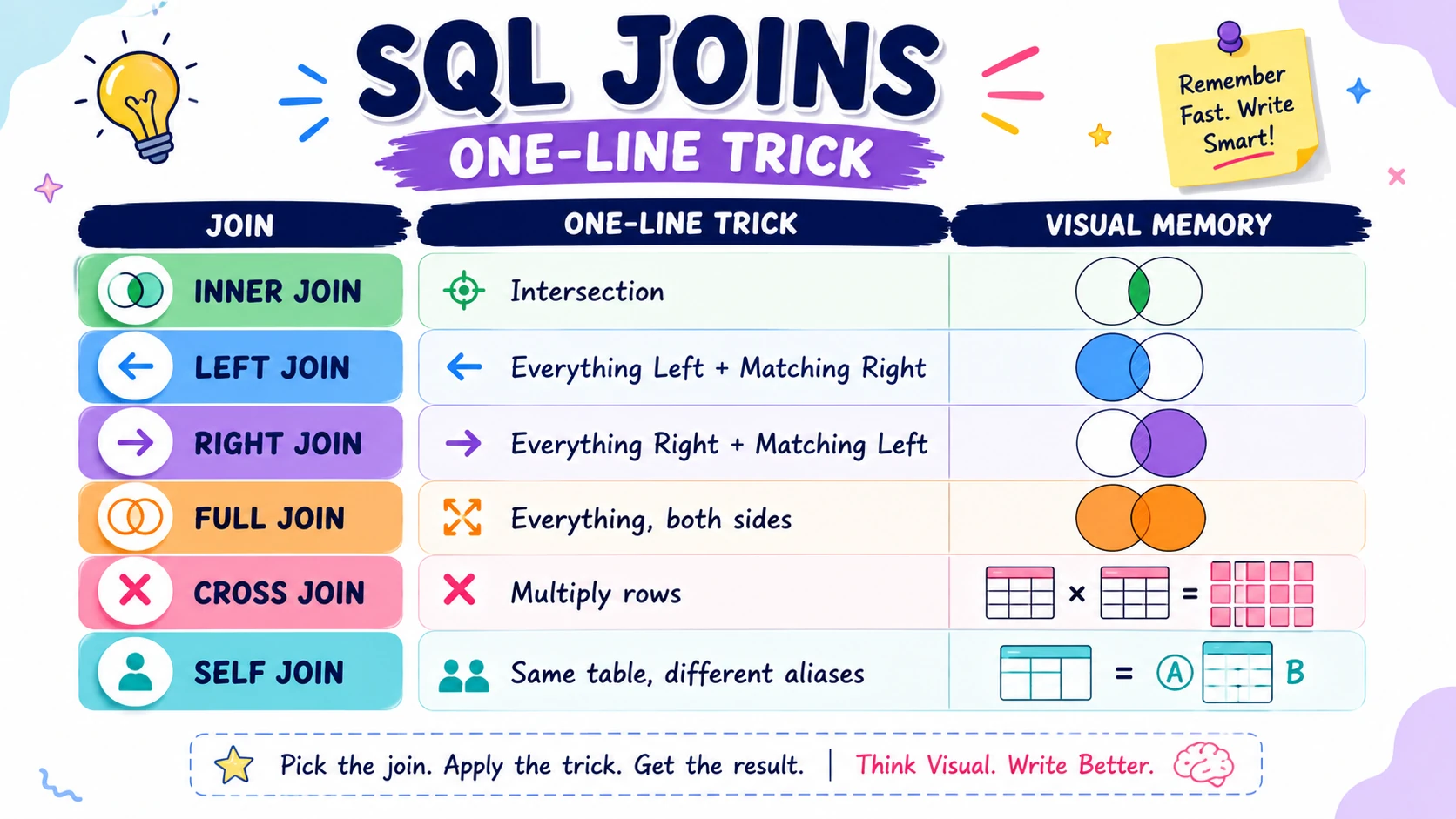
| JOIN | One-Line Trick |
|---|---|
| INNER | Intersection |
| LEFT | Everything Left + Matching Right |
| RIGHT | Everything Right + Matching Left |
| FULL | Everything, both sides |
| CROSS | Multiply rows |
| SELF | Same table, different aliases |
🎯 Revision Checklist
Tick the concepts you're confident about before attempting the mock test.
What to Study Next
Complete your SQL revision with these related articles.
| Topic | Status |
|---|---|
| SQL Commands | ✅ Available |
| SQL Constraints | ✅ Available |
| SQL Keys | ✅ Available |
| Normalization | ✅ Available |
| ACID Properties | ✅ Available |
| Transactions | ✅ Available |
Practice SQL Joins
Attempt exam-level SQL JOIN questions with detailed explanations and performance analysis.