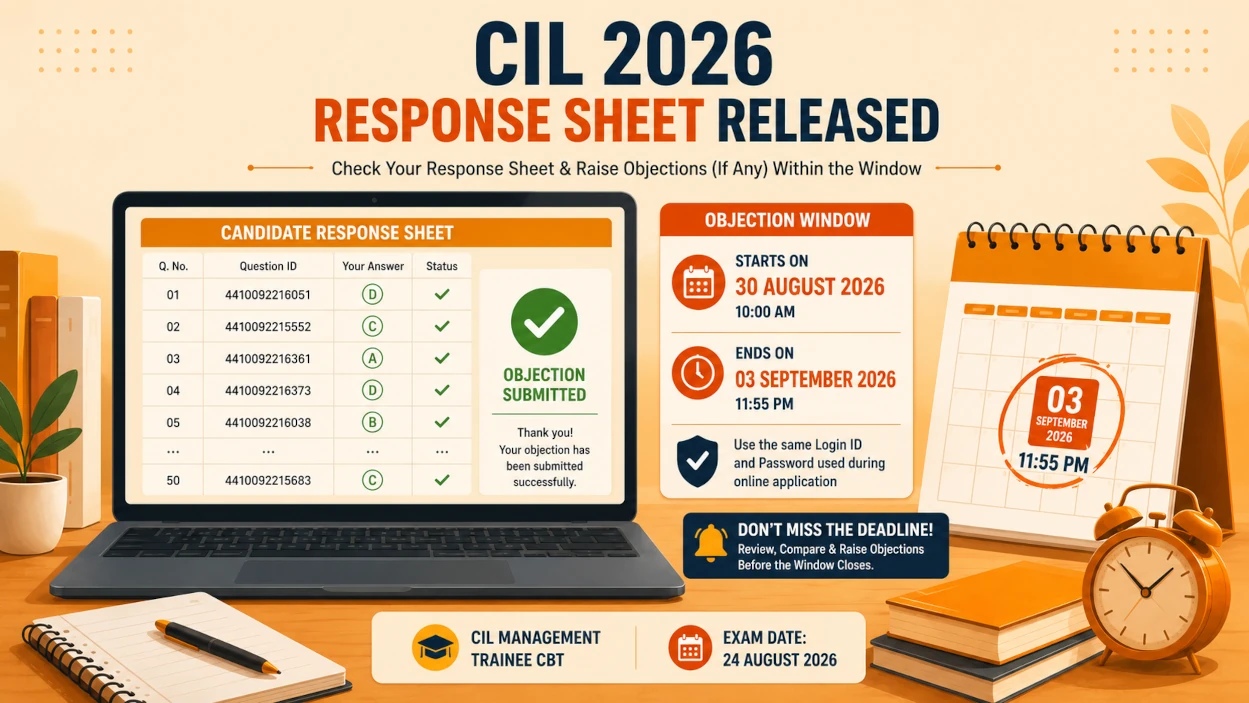
There is an important update for candidates who appeared in the Coal India Limited (CIL) Management Trainee Computer Based Test (CBT) held on 24th August 2026. CIL has now opened the objection window for questions and answer keys, and candidate response sheets are available for review.
If you appeared for this exam, do not confuse this update with a "final answer key" release. This is your window to check your response sheet, compare it against the displayed answers, and formally challenge any question or answer key you believe is incorrect — before the deadline closes.
In this post, we cover the revised objection dates, how to log in to the portal, what your response sheet actually shows, and a step-by-step guide to filing a valid objection.
CIL MT Objection Window 2026: Important Dates
According to the official communication sent to candidates, the objection facility opened shortly after the CBT and will remain available only for a fixed window.
Here are the key dates you must note:
| Event | Date / Time |
|---|---|
| CIL MT CBT Conducted | 24 August 2026 |
| Objection Window Opens | 30 August 2026, 10:00 AM |
| Objection Window Closes | 3 September 2026, 11:55 PM |
| Objection Mode | Online only |
| Login Credentials | Same ID/Password used during application |
Please Note: This objection facility covers questions and answer keys from the 24th August 2026 CBT only. It is not the final answer key or result — those will be announced separately by CIL.
Response Sheet vs Answer Key: Don't Confuse the Two
Many candidates mistake the response sheet for the answer key. They are not the same thing.
Your response sheet is simply a record of what you attempted — the questions shown to you, the options available, and the option you selected. It does not tell you whether your answers were correct.
The answer key is the document CIL uses to determine correctness. The objection window that has just opened lets you challenge questions or answers in that key before it is finalized.
Important: Use your response sheet to identify what you need to object to — not to assume your final score. Scores can only be estimated once an answer key is applied to your responses.
What Does the CIL MT Response Sheet Show?
When you log in and open your response sheet, you will see a detailed record of your attempt, including:
- Question number and full question text
- All answer options shown during the exam
- A unique Question ID (for example, an ID such as
4410092216051) - Individual Option IDs
- Question status — Answered or Marked for Review
- The option you selected
The CBT itself, conducted on 24 August 2026 from 3:00 PM to 6:00 PM, covered the following sections:
- General Knowledge & Awareness — geography, history, current affairs, polity, economy, science
- Numerical Ability — Time and Work, Averages, Ages, Mensuration, Percentage, Simple Interest, Time-Speed-Distance, Ratio and Proportion, Number System, Profit and Loss, Probability
- Reasoning — coding-decoding, blood relations, number series, Venn diagrams, seating arrangement, floor puzzles, direction sense, syllogism, data sufficiency, clocks
- General English — grammar, vocabulary, sentence arrangement, active/passive voice, articles, error correction, comprehension
- Technical/Computer Science — virtual memory, relational algebra, entity integrity, selection sort, circular queues, computer networks
How to Log In to the CIL MT Objection Portal
CIL has provided a separate, dedicated portal for the objection process — this is different from the original application portal.
Steps to Access the Portal:
- Open the official CIL MT objection/answer-key portal.
- Log in using the same Login ID and Password you used while submitting your online application.
- Locate the question/answer-key objection section.
- Review your response sheet alongside the answer displayed for each question.
Important Rule: Objections submitted through email, letters, or any mode other than the designated online portal will not be entertained, as stated in the official communication.
How to Raise an Objection: Step-by-Step
- Log in to the CIL MT objection portal with your application credentials.
- Open the question/answer-key objection module.
- Cross-check the question you want to challenge against your response sheet and its exact Question ID.
- Select the specific question or answer key you are objecting to.
- Choose the appropriate objection category and enter a clear, fact-based justification.
- Attach or state supporting evidence, if the portal allows it.
- Submit the objection.
- Download or save the acknowledgement/confirmation, if one is generated.
Tip: If you only remember a question felt wrong but don't recall the exact wording, verify it against your response sheet and the portal's displayed answer first — don't file an objection from memory alone.
What Should You Check Before Filing an Objection?
Not every difficult question is an incorrect one. Before you submit, check:
- The question itself — factual errors, ambiguous wording, more than one correct option, no correct option, incorrect calculations, or missing data.
- The official answer — compare it against a reliable, standard reference. For technical questions, verify with recognized textbooks rather than personal recall.
- The Question ID — confirm the exact ID from your response sheet so you don't object to the wrong question.
- Supporting evidence — keep your justification concise, specific, and fact-based if the portal requests one.
Valid vs Invalid Reasons to Object
Valid reasons include:
- The official answer appears factually incorrect
- The question has more than one correct answer
- None of the given options is correct
- The question contains a technical or factual error
- The wording is ambiguous enough to support multiple interpretations
Not valid: disagreeing with a question simply because it was difficult, or because your recollection differs without supporting evidence.
Important Instructions to Remember
- The objection window is open only from 30 August 2026, 10:00 AM to 3 September 2026, 11:55 PM.
- Use the same Login ID and Password issued during your original online application.
- Objections must be submitted only through the designated online portal.
- Candidates who submitted objections earlier, if any, must resubmit them through this new objection link, as stated in the official communication.
- Retain your acknowledgement or confirmation details for your records.
What Happens After the Objection Window Closes?
Once the window closes on 3rd September 2026, CIL will examine all objections received before finalizing the answer key. This is a review step — not confirmation of the final answer key or result.
The final answer key, result, cut-off marks, and shortlisting for subsequent stages will be announced separately. Keep checking the official CIL website rather than treating this objection window as the end of the process.
Practice What You Just Learned
Log In to the Official CIL MT Objection Portal Before the Deadline
Do not wait until the last evening of 3rd September 2026 to review your response sheet and file objections. Go through your questions carefully today, verify each concern against your Question ID, and submit only well-supported objections through the official portal.