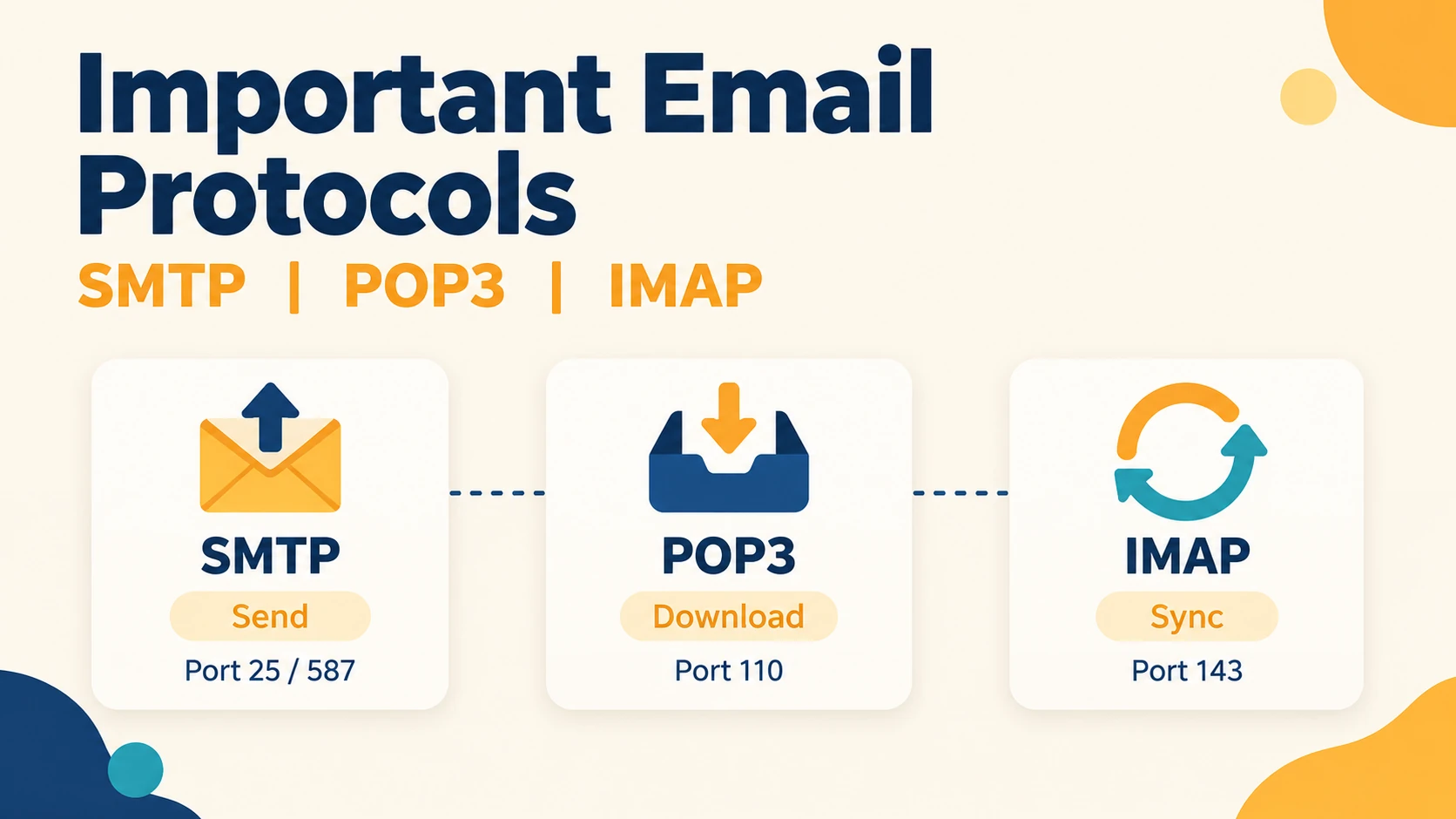
Email protocols are the rules that decide how an email is sent, delivered, and read. Three of them matter most: SMTP sends the mail, POP3 downloads it, and IMAP lets you read it from the server on many devices. For IBPS SO IT, RRB Scale II IT, and SEBI Grade A IT, you mainly need their ports, their differences, and a few tricky facts.
This guide uses simple English and everyday examples. Read it once, then use the Quick Revision boxes before your exam.
Fast Memory Trick: SMTP = Send (Push) · POP3 = Pull and delete (download) · IMAP = In sync on all devices · MIME = More than plain text (attachments)
Quick Answer: Email Protocols at a Glance
If you only have two minutes, learn this table first.
| Protocol | Full Form | Job | Type | Default Port | Secure Port |
|---|---|---|---|---|---|
| SMTP | Simple Mail Transfer Protocol | Send and relay mail | Push | 25 (and 587 submit) | 465 (SMTPS), 587 (STARTTLS) |
| POP3 | Post Office Protocol version 3 | Download mail | Pull | 110 | 995 (POP3S) |
| IMAP4 | Internet Message Access Protocol v4 | Access and sync mail online | Pull | 143 | 993 (IMAPS) |
All three work at the Application layer and use TCP.
Quick Revision
- SMTP sends. POP3 and IMAP receive.
- SMTP = push. POP3 and IMAP = pull.
- Ports to remember: 25, 110, 143 (plain) and 465/587, 995, 993 (secure).
How Does an Email Travel?
An email passes through four helpers: the mail app, the sender's server, the receiver's server, and the receiver's mailbox. Think of it like speed post. You drop the letter at your local post office, it goes to the destination post office, and the receiver collects it from there.
Suppose Rahul (using Gmail) sends a mail to Priya (using Outlook):
- Rahul writes the mail in his email app.
- His app sends it to his mail server using SMTP.
- His mail server finds Priya's mail server (using DNS MX records) and sends the mail using SMTP again.
- Priya's server stores the mail in her mailbox.
- Priya opens her app, which fetches the mail using POP3 or IMAP.
So SMTP is used in steps 2 and 3. POP3 or IMAP is used only in the last step.
| Agent | Short Form | What It Does |
|---|---|---|
| Mail User Agent | MUA | The app you use, like Outlook, Thunderbird, or Gmail app |
| Mail Transfer Agent | MTA | The mail server that moves mail between servers (SMTP) |
| Mail Delivery Agent | MDA | Puts the mail into the receiver's mailbox |
| Mail Access Agent | MAA | The POP3 or IMAP part that pulls mail to the receiver's app |
When you use Gmail in a web browser, your browser talks to Gmail using HTTP/HTTPS, not POP3 or IMAP. But between mail servers, SMTP is still used.
Quick Revision
- Client to server and server to server sending = SMTP.
- Server to client reading = POP3 or IMAP.
- Exam keyword: "MUA to MTA" or "MTA to MTA" → think SMTP.
1. SMTP: Simple Mail Transfer Protocol
SMTP is the protocol used to send email from your app to a mail server, and from one mail server to another. It is a push protocol, because the sender pushes the mail forward. It is also text-based and, in its basic form, handles only 7-bit ASCII text.
SMTP Port Numbers
| Port | Name | Used For |
|---|---|---|
| 25 | SMTP | Server-to-server relay (many ISPs block it for normal users) |
| 587 | Submission | Client-to-server sending, usually with STARTTLS (modern standard) |
| 465 | SMTPS | SMTP over SSL/TLS from the start |
Do not mix up port 25 and port 587. 25 is for servers talking to each other. 587 is for your email app sending a mail to your own server.
Common SMTP Commands and Replies
You can see these in some exam questions.
| Command | Meaning |
|---|---|
HELO / EHLO | Client greets the server |
MAIL FROM | Tells who the sender is |
RCPT TO | Tells who the receiver is |
DATA | Starts the message body |
QUIT | Ends the session |
| Reply Code | Meaning |
|---|---|
| 220 | Server is ready |
| 250 | Request is OK |
| 354 | Start typing the message |
| 221 | Server is closing |
Q: Why can basic SMTP not send an image directly? A: Basic SMTP only supports 7-bit ASCII text. Images, audio, and other files need to be converted into text form first. This is the job of MIME.
Note: Newer SMTP extensions can carry more than 7-bit text. But for exams, the safe answer is "SMTP handles 7-bit ASCII, and MIME is used for the rest."
Quick Revision
- SMTP = sends and relays mail, push protocol, TCP.
- Ports: 25 (relay), 587 (submission), 465 (SMTPS).
- Exam keyword: "sending mail" or "MTA to MTA" → think SMTP.
2. POP3: Post Office Protocol Version 3
POP3 is the protocol used to download email from the mail server to your device. It is a pull protocol. By default, POP3 follows "download and delete": mail is copied to your device and removed from the server. That is why you can read the mail offline.
Three States of POP3
POP3 works in three states, in this order:
| State | What Happens |
|---|---|
| Authorization | The user logs in with a username and password (USER, PASS) |
| Transaction | The user lists, reads, and marks mail (STAT, LIST, RETR, DELE) |
| Update | After QUIT, the server deletes the marked mail and closes |
Memory trick: Authorization → Transaction → Update = A-T-U.
The DELE command only marks a message for deletion. The mail is actually
removed in the Update state, after the client sends QUIT.
POP3 replies are simple: +OK means success and -ERR means error.
Limits of POP3
- No proper two-way sync. If you read or delete mail on your phone, your laptop does not know.
- Not good for using one account on many devices.
- Some email apps can be set to keep a copy on the server, but this is a setting, not the default behaviour.
Quick Revision
- POP3 = download mail, pull protocol, port 110 (secure 995).
- Default: download and delete. Works offline after download.
- States: Authorization → Transaction → Update. Deletion happens in Update.
3. IMAP4: Internet Message Access Protocol
IMAP is the protocol used to read and manage email directly on the mail server. It is also a pull protocol, but mail stays on the server. Every change you make (read, delete, move to a folder) is saved on the server, so all your devices show the same mailbox. This is called two-way synchronisation.
Key features of IMAP:
- Works well with many devices, such as your phone and laptop.
- Lets you download only the headers first, or only one attachment, instead of the full mail. This saves data.
- Supports folders and searching on the server.
- Keeps mail on the server, so the server needs more storage.
Quick Revision
- IMAP = sync mail across devices, pull protocol, port 143 (secure 993).
- Supports partial download (headers only) and server-side folders.
- Exam keyword: "multiple devices" or "synchronisation" → think IMAP.
POP3 vs IMAP
| Feature | POP3 | IMAP |
|---|---|---|
| Where mail is kept | Downloaded to the device (default) | Stays on the server |
| Default behaviour | Download and delete from server | Keep on server |
| Sync across devices | No | Yes (two-way) |
| Offline reading | Yes, after download | Only for what is already downloaded |
| Partial download | No | Yes (headers or parts) |
| Folders on server | No | Yes |
| Server storage need | Low | High |
| Port (plain / secure) | 110 / 995 | 143 / 993 |
| Complexity | Simple | Advanced |
SMTP vs POP3/IMAP
| Point | SMTP | POP3 / IMAP |
|---|---|---|
| Purpose | Send mail | Receive / read mail |
| Type | Push | Pull |
| Used between | Client-server and server-server | Server to client only |
| Transport | TCP | TCP |
4. MIME: Multipurpose Internet Mail Extensions
MIME is an extension to SMTP that lets an email carry attachments, images, audio, video, and non-English text. MIME is not a standalone protocol for sending mail. It only changes how the content is formatted and encoded, and SMTP still carries it.
Important MIME Headers
| Header | What It Tells | Example |
|---|---|---|
MIME-Version | Which MIME version is used | 1.0 |
Content-Type | The type of content | text/html, image/jpeg, application/pdf |
Content-Transfer-Encoding | How the body is converted into text | 7bit, base64, quoted-printable |
Content-Disposition | Show inside the mail or save as an attachment | inline or attachment |
Common Encodings
| Encoding | Use |
|---|---|
| 7bit | Plain ASCII text |
| Base64 | Binary files like images and PDFs (3 bytes become 4 characters) |
| Quoted-printable | Mostly ASCII text with a few special characters |
Q: Which MIME header decides whether a file is shown inside the mail or as an attachment?
A: Content-Disposition.
Q: Which content type is used when a mail has several parts, like text plus attachments?
A: multipart/mixed.
Quick Revision
- MIME = extension of SMTP for non-ASCII data and attachments.
- Four headers: MIME-Version, Content-Type, Content-Transfer-Encoding, Content-Disposition.
- Base64 turns 3 bytes into 4 text characters, so the file becomes bigger.
5. Email Security Protocols
Email security tools protect email in three ways: they hide the content, prove who sent it, and stop fake senders. Basic email is not secure by itself, so these tools are added on top.
| Tool | Full Form / Meaning | What It Does |
|---|---|---|
| S/MIME | Secure/MIME | Signs and encrypts mail using X.509 digital certificates from a CA |
| PGP | Pretty Good Privacy | Signs and encrypts mail using hybrid cryptography and a Web of Trust (no CA) |
| DKIM | DomainKeys Identified Mail | Adds a digital signature so the receiver can check the mail is genuine |
| SPF | Sender Policy Framework | A DNS TXT record listing the servers allowed to send mail for a domain |
| DMARC | Domain-based Message Authentication, Reporting and Conformance | Uses SPF and DKIM to stop spoofing and phishing, and sets what to do if checks fail |
SPF asks: Who is allowed to send? · DKIM asks: Is the mail genuine and unchanged? · DMARC asks: What should we do if the checks fail?
Two more points that students often miss:
- S/MIME and PGP protect the message itself (signature and encryption). They differ in trust: S/MIME uses a CA, PGP uses a Web of Trust.
- SPF, DKIM, and DMARC do not encrypt the mail. They only help prove that the sender is real.
- TLS (used with ports 465, 993, 995, or STARTTLS) protects the connection between your app and the server.
Quick Revision
- S/MIME = X.509 certificates, CA. PGP = Web of Trust, no CA.
- SPF = allowed senders (DNS TXT). DKIM = signature. DMARC = policy using SPF + DKIM.
- Exam keyword: "Web of Trust" → PGP. "Spoofing and phishing" → DMARC.
Common Email Protocol Traps
- Thinking POP3 or IMAP can send mail. They cannot. Only SMTP sends.
- Calling all three "push". Only SMTP is push. POP3 and IMAP are pull.
- Mixing up ports 25 and 587. 25 is server to server. 587 is client submission.
- Saying DELE deletes the mail at once. In POP3, deletion happens in the Update state after QUIT.
- Calling MIME a transfer protocol. MIME is only a formatting and encoding extension of SMTP.
- Thinking SPF, DKIM, or DMARC encrypt mail. They only check sender identity.
One-Minute Port Revision
| Port | Protocol | Remember |
|---|---|---|
| 25 | SMTP | Server-to-server relay |
| 110 | POP3 | Download mail |
| 143 | IMAP | Sync mail |
| 465 | SMTPS | SMTP over TLS from the start |
| 587 | SMTP | Client submission (STARTTLS) |
| 993 | IMAPS | Secure IMAP |
| 995 | POP3S | Secure POP3 |
For the full port list (DNS, DHCP, HTTP, FTP and more), read our guide on important protocols and port numbers.
Practice MCQs
Try all 10 before checking the answers.
Which protocol is used to send email?
What is the default port of POP3?
Which protocol supports two-way sync across many devices?
In POP3, the marked mail is actually deleted in which state?
Which of these is a pull protocol?
What is MIME mainly used for?
What is the secure port of IMAP?
Which mechanism uses a DNS TXT record to list servers allowed to send mail for a domain?
Which email security tool uses a Web of Trust?
Which MIME header tells whether a file is shown inline or as an attachment?
Revision tip: If you missed Q4, re-read the three POP3 states. If you missed Q8 or Q9, re-read the email security table.
Quick Revision Cheat Sheet
One final scan before your mock test.
| Topic | Remember | Exam Keyword to Watch For |
|---|---|---|
| SMTP | Sends mail, push, ports 25 / 587 / 465 | "sending," "relay," "MTA to MTA" |
| POP3 | Downloads mail, pull, port 110 / 995 | "download and delete," "offline," "Update state" |
| IMAP | Syncs mail, pull, port 143 / 993 | "multiple devices," "synchronisation" |
| MIME | Extension for attachments and non-ASCII data | "attachment," "Base64," "Content-Type" |
| S/MIME | Sign and encrypt, X.509, CA | "digital certificate" |
| PGP | Sign and encrypt, Web of Trust | "Web of Trust," "no central CA" |
| SPF | DNS TXT record of allowed senders | "authorised servers" |
| DKIM | Digital signature on mail | "signature," "domain integrity" |
| DMARC | Policy using SPF and DKIM | "spoofing," "phishing," "reject" |
Practice Topic-wise Mock Tests
Revise one topic at a time, then reinforce it immediately with a matching test.
Ready to Test Your IT Professional Knowledge?
Access subject-wise free mock tests for every IT domain topic — DBMS, Computer Networks, OS, Software Engineering, and DSA — with detailed explanations and AI-powered question generation.
What to Study Next
Continue your Computer Networks revision with these related articles.