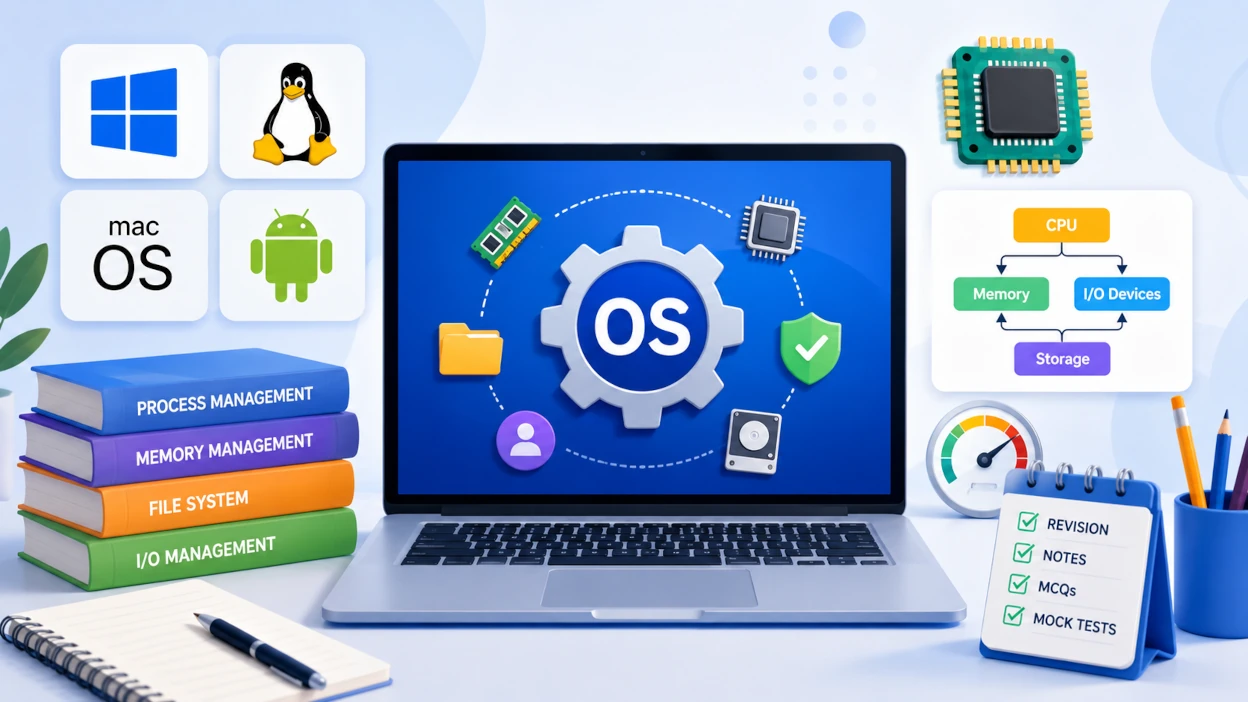
Operating Systems is a core technical subject in the IBPS SO IT Officer Professional Knowledge paper, testing CPU Scheduling, Process Synchronization, Deadlocks, Memory Management, Paging, Disk Scheduling, and File Systems. Most questions are conceptual and comparison-based (e.g., Process vs Thread, Paging vs Segmentation, FCFS vs SJF) with occasional numerical questions on scheduling and page-replacement algorithms.
This guide is a single-page revision hub: concise notes, comparison tables, and a priority order for what to study first, followed by topic-wise and full-length mock tests.
Topic Priority for Revision
Previous year papers show a consistent pattern in which OS topics get tested most. Use this single table to sequence your revision.
| Topic | Exam Weightage | Revise |
|---|---|---|
| CPU Scheduling Algorithms | ⭐⭐⭐⭐⭐ | First |
| Process Management & States | ⭐⭐⭐⭐⭐ | First |
| Deadlocks | ⭐⭐⭐⭐⭐ | First |
| Memory Management (Paging/Segmentation) | ⭐⭐⭐⭐⭐ | First |
| Process Synchronization | ⭐⭐⭐⭐☆ | Second |
| Disk Scheduling Algorithms | ⭐⭐⭐⭐☆ | Second |
| Virtual Memory & Page Replacement | ⭐⭐⭐⭐☆ | Second |
| File Systems | ⭐⭐⭐☆☆ | Third |
| Threads & Multithreading | ⭐⭐⭐☆☆ | Third |
| I/O Management | ⭐⭐☆☆☆ | Third |
Exam-day shortage of time? Cover every "First" row above, then Process Synchronization and Disk Scheduling — together these account for the majority of Operating Systems questions in past IBPS SO IT Officer papers.
Start Your Operating Systems Revision
Revise the topics above, then reinforce them with an AI-generated topic-wise mock test built for the IBPS SO IT Officer exam.
1. Operating System Fundamentals
An Operating System (OS) is system software that acts as an intermediary between computer hardware and the user, managing resources such as the CPU, memory, storage, and I/O devices.
Key Functions of an OS
| Function | What It Does |
|---|---|
| Process Management | Creates, schedules, and terminates processes |
| Memory Management | Allocates and deallocates memory to processes |
| File Management | Organizes, stores, and retrieves files |
| Device Management | Manages I/O devices via device drivers |
| Security & Access Control | Protects data and resources from unauthorized access |
Types of Operating Systems
| Type | Key Feature | Example |
|---|---|---|
| Batch OS | Jobs executed in batches without user interaction | Early mainframe systems |
| Time-Sharing OS | CPU time shared among multiple users via time slices | UNIX |
| Distributed OS | Manages a group of independent computers as a single system | Network-based systems |
| Real-Time OS (RTOS) | Guarantees response within a strict, predictable time limit | Embedded/industrial systems |
| Multiprogramming OS | Multiple programs reside in memory to keep CPU always busy | Modern desktop OSes |
Q: What is the difference between Multiprogramming and Multitasking? A: Multiprogramming keeps multiple programs in memory so the CPU always has work to switch to when one program waits for I/O, primarily maximizing CPU utilization. Multitasking extends this by rapidly switching the CPU between multiple tasks to give the appearance of simultaneous execution to users.
Quick Revision
- OS manages process, memory, file, and device resources.
- Time-Sharing OS → CPU shared via time slices; RTOS → guaranteed response time.
- Multiprogramming → maximizes CPU utilization; Multitasking → user-facing concurrent execution.
2. Process Management
A Process is a program in execution, represented by a Process Control Block (PCB) that stores its state, and it moves through a defined set of states during its lifecycle.
Process States
| State | Description |
|---|---|
| New | Process is being created |
| Ready | Waiting to be assigned to the CPU |
| Running | Instructions are being executed |
| Waiting/Blocked | Waiting for an I/O operation or event |
| Terminated | Process has finished execution |
Process Control Block (PCB) Contains
- Process ID (PID) and process state
- Program counter and CPU registers
- CPU scheduling and memory management information
- Accounting and I/O status information
Q: What is the difference between a Process and a Thread? A: A Process is an independent program in execution with its own separate memory space, while a Thread is a lightweight unit of execution within a process that shares the process's memory and resources with other threads of the same process.
Quick Revision
- Process lifecycle: New → Ready → Running → Waiting → Terminated.
- PCB stores all information needed to resume a process.
- Process = independent memory; Thread = shares memory within a process.
Quick Revision Notes: Process Management in OS
Short on time before your semester exams? Review process states, PCBs, and CPU scheduling in less than 15 minutes with our concise, high-yield revision notes.
3. CPU Scheduling Algorithms
CPU Scheduling determines which process in the ready queue gets the CPU next, aiming to maximize CPU utilization and throughput while minimizing waiting and turnaround time.
| Algorithm | Type | Key Feature | Drawback |
|---|---|---|---|
| FCFS | Non-Preemptive | Executes processes in arrival order | Convoy effect (long wait for short jobs) |
| SJF | Non-Preemptive | Executes shortest job first; minimum average waiting time | Starvation of longer processes |
| SRTF | Preemptive | Preemptive version of SJF | High overhead from frequent switching |
| Round Robin | Preemptive | Fixed time quantum given to each process in turn | Performance depends heavily on quantum size |
| Priority Scheduling | Preemptive/Non-Preemptive | Executes highest-priority process first | Starvation of low-priority processes |
Q: Which CPU scheduling algorithm gives the minimum average waiting time? A: Shortest Job First (SJF) gives the minimum average waiting time among common scheduling algorithms, because it always executes the shortest available job next — though it risks starving longer processes.
Q: What is the Convoy Effect in CPU scheduling? A: The Convoy Effect occurs in FCFS scheduling when a long process occupies the CPU first, forcing all shorter processes behind it in the queue to wait, which increases average waiting time.
Q: How is starvation avoided in Priority Scheduling? A: Starvation in Priority Scheduling is avoided using Aging, a technique that gradually increases the priority of processes that have been waiting in the ready queue for a long time.
Quick Revision
- FCFS → simple, suffers convoy effect.
- SJF → optimal average waiting time, but can starve long jobs.
- Round Robin → fair, time-quantum based, used in time-sharing systems.
- Priority Scheduling → starvation risk, fixed by Aging.
4. Process Synchronization
Process Synchronization coordinates access to shared resources among concurrent processes to prevent race conditions and ensure data consistency.
Key Concepts
| Term | Definition |
|---|---|
| Race Condition | Outcome depends on the timing/order of uncontrolled process execution |
| Critical Section | Code segment that accesses shared resources and must not run concurrently |
| Mutual Exclusion | Only one process can execute in the critical section at a time |
| Semaphore | An integer variable used to control access to shared resources |
| Mutex | A locking mechanism ensuring only one thread accesses a resource at a time |
Semaphore Types
| Type | Behavior |
|---|---|
| Binary Semaphore | Value restricted to 0 or 1; behaves like a mutex lock |
| Counting Semaphore | Value can range over an unrestricted domain, controls access to a pool of resources |
Q: What is the difference between a Semaphore and a Mutex? A: A Mutex is a locking mechanism that allows only one thread to access a resource at a time and is owned by the thread that locks it, while a Semaphore is a signaling mechanism that can allow a fixed number of processes to access a resource simultaneously and is not necessarily owned by a single process.
Q: What are the requirements for a correct solution to the Critical Section Problem? A: A correct solution must satisfy Mutual Exclusion (only one process in the critical section at a time), Progress (no indefinite postponement of entry), and Bounded Waiting (a limit on the number of times other processes can enter before a waiting process gets its turn).
Quick Revision
- Race Condition → uncontrolled shared-resource access causing unpredictable results.
- Semaphore → signaling; Mutex → locking, single-owner.
- Critical Section solutions must ensure Mutual Exclusion, Progress, and Bounded Waiting.
5. Deadlocks
A Deadlock is a state where two or more processes are blocked forever, each waiting for a resource held by another process in the same circular chain.
Four Necessary Conditions (Coffman Conditions)
| Condition | Meaning |
|---|---|
| Mutual Exclusion | At least one resource must be held in a non-shareable mode |
| Hold and Wait | A process holds one resource while waiting for another |
| No Preemption | A resource can only be released voluntarily by the process holding it |
| Circular Wait | A closed chain of processes exists, each waiting for a resource held by the next |
Q: What are the four necessary conditions for deadlock? A: The four necessary conditions are Mutual Exclusion, Hold and Wait, No Preemption, and Circular Wait. A deadlock can only occur if all four conditions hold simultaneously.
Deadlock Handling Strategies
| Strategy | Approach |
|---|---|
| Deadlock Prevention | Ensures at least one of the four necessary conditions cannot hold |
| Deadlock Avoidance | Uses algorithms like Banker's Algorithm to avoid unsafe resource states |
| Deadlock Detection & Recovery | Allows deadlock to occur, then detects and recovers via process termination or resource preemption |
| Deadlock Ignorance | Assumes deadlock never occurs (used by most general-purpose OSes, e.g., the Ostrich Algorithm) |
Q: What is the Banker's Algorithm used for? A: The Banker's Algorithm is a deadlock avoidance algorithm that checks whether granting a resource request would leave the system in a safe state before allocating it, ensuring the system never enters an unsafe state that could lead to deadlock.
Quick Revision
- Deadlock needs all four Coffman conditions simultaneously.
- Prevention → break a condition; Avoidance → Banker's Algorithm; Detection & Recovery → allow, then fix.
- Most general-purpose OSes use the Ostrich Algorithm (ignore deadlocks).
6. Memory Management
Memory Management handles the allocation and deallocation of main memory space to processes, using techniques such as Paging and Segmentation.
Paging vs Segmentation
| Feature | Paging | Segmentation |
|---|---|---|
| Division Basis | Fixed-size pages | Variable-size logical segments (code, data, stack) |
| Visibility to Programmer | Invisible | Visible (matches program structure) |
| Fragmentation | Internal fragmentation | External fragmentation |
| Address Translation | Page table maps page number to frame number | Segment table maps segment number to base address |
Q: What is the difference between Paging and Segmentation? A: Paging divides physical memory into fixed-size pages invisible to the programmer, causing internal fragmentation, while Segmentation divides a program into variable-size logical segments that match the program's structure, causing external fragmentation instead.
Fragmentation
| Type | Cause |
|---|---|
| Internal Fragmentation | Allocated memory slightly larger than requested, wasting space inside a fixed-size block |
| External Fragmentation | Free memory is split into small non-contiguous blocks unable to satisfy a request |
Quick Revision
- Paging = fixed-size, internal fragmentation; Segmentation = variable-size, external fragmentation.
- Page table maps logical pages to physical frames.
- Segmentation matches the logical structure of a program; paging does not.
7. Virtual Memory & Page Replacement
Virtual Memory allows a process to execute even if it is not entirely in main memory, by loading only the required pages on demand and swapping others to disk.
Page Replacement Algorithms
| Algorithm | Logic |
|---|---|
| FIFO | Replaces the page that has been in memory the longest |
| LRU | Replaces the page that was Least Recently Used |
| Optimal | Replaces the page that will not be used for the longest time in the future |
Q: What is thrashing in an Operating System? A: Thrashing occurs when a system spends more time swapping pages in and out of memory than executing actual processes, typically caused by too many processes competing for too little available RAM, which severely degrades performance.
Q: Which page replacement algorithm is theoretically optimal? A: The Optimal page replacement algorithm is theoretically the best because it replaces the page that will not be used for the longest time in the future, but it requires future knowledge and cannot be implemented in practice — it is used only as a benchmark.
Quick Revision
- Virtual Memory lets processes run larger than physical RAM by paging on demand.
- FIFO → simplest, can suffer Belady's Anomaly; LRU → uses recent history; Optimal → theoretical benchmark only.
- Thrashing = excessive paging, minimal actual CPU work.
8. Disk Scheduling Algorithms
Disk Scheduling algorithms determine the order in which disk I/O requests are serviced, aiming to minimize the total seek time of the disk arm.
| Algorithm | Logic | Starvation Risk |
|---|---|---|
| FCFS | Services requests in arrival order | No (but inefficient) |
| SSTF | Services the request closest to the current head position | Yes |
| SCAN | Disk arm moves in one direction servicing requests, then reverses | No |
| C-SCAN | Like SCAN, but returns to the start without servicing on the return trip | No |
Q: Which disk scheduling algorithm avoids starvation? A: SCAN and C-SCAN avoid starvation because the disk arm systematically sweeps across all cylinders in a fixed order, ensuring every pending request is eventually serviced, unlike SSTF which can indefinitely delay distant requests.
Quick Revision
- FCFS → simple, no starvation, but poor seek-time performance.
- SSTF → minimizes seek time locally, but can starve far requests.
- SCAN/C-SCAN → elevator-style sweep, avoids starvation.
9. File Systems
A File System organizes, stores, retrieves, and manages data on a storage device, defining how files are named, structured, and accessed.
File Allocation Methods
| Method | Description | Drawback |
|---|---|---|
| Contiguous Allocation | File occupies contiguous blocks on disk | External fragmentation, difficult to grow |
| Linked Allocation | Each block points to the next block in the file | No random access, pointer overhead |
| Indexed Allocation | An index block stores pointers to all blocks of the file | Overhead of maintaining the index block |
Q: What is the main drawback of Contiguous File Allocation? A: Contiguous Allocation suffers from external fragmentation over time and makes it difficult to grow a file, since free contiguous space may not be available adjacent to the existing file blocks.
Quick Revision
- Contiguous → fast access, fragmentation issues.
- Linked → no fragmentation, no random access.
- Indexed → supports random access via an index block, extra overhead.
10. Threads & Multithreading
A Thread is the smallest unit of CPU execution within a process; Multithreading allows multiple threads to run concurrently within the same process, sharing its memory space.
| Model | Description |
|---|---|
| Many-to-One | Many user threads mapped to a single kernel thread |
| One-to-One | Each user thread mapped to its own kernel thread |
| Many-to-Many | Many user threads multiplexed over a smaller or equal number of kernel threads |
Q: What is the main benefit of Multithreading? A: Multithreading improves responsiveness and resource utilization by allowing multiple tasks within the same process to execute concurrently while sharing the same memory space, which is more efficient than creating separate processes.
Quick Revision
- Thread = lightweight, shares memory within a process.
- Many-to-One → simple but blocks all threads on one system call.
- One-to-One → better concurrency, more overhead.
Previous Year Focus
Based on previous IBPS SO IT Officer and related competitive examinations, the following topics have consistently received higher weightage.
| Topic | Exam Frequency |
|---|---|
| CPU Scheduling Algorithms | ⭐⭐⭐⭐⭐ |
| Deadlocks & Coffman Conditions | ⭐⭐⭐⭐⭐ |
| Process States & PCB | ⭐⭐⭐⭐⭐ |
| Paging vs Segmentation | ⭐⭐⭐⭐⭐ |
| Process Synchronization (Semaphore/Mutex) | ⭐⭐⭐⭐☆ |
| Disk Scheduling | ⭐⭐⭐⭐☆ |
| Page Replacement Algorithms | ⭐⭐⭐⭐☆ |
| File Allocation Methods | ⭐⭐⭐☆☆ |
| Threads & Multithreading Models | ⭐⭐⭐☆☆ |
Quick Revision Cheat Sheet
One final scan before your mock test.
| Concept | Remember |
|---|---|
| Process states | New → Ready → Running → Waiting → Terminated |
| Minimum average waiting time | SJF |
| Fair, time-quantum scheduling | Round Robin |
| Deadlock necessary conditions | Mutual Exclusion, Hold & Wait, No Preemption, Circular Wait |
| Deadlock avoidance algorithm | Banker's Algorithm |
| Paging fragmentation | Internal |
| Segmentation fragmentation | External |
| Optimal page replacement | Theoretical benchmark only |
| Starvation-free disk scheduling | SCAN / C-SCAN |
| Mutex vs Semaphore | Locking (single owner) vs Signaling (counting) |
Frequently Asked Questions
Is Operating Systems important for the IBPS SO IT Officer exam? Yes. Operating Systems is one of the core technical subjects in the Professional Knowledge section, and questions on CPU scheduling, deadlocks, and memory management appear almost every year.
Which Operating Systems topics are most important for IBPS SO IT Officer? CPU Scheduling Algorithms, Process Synchronization, Deadlocks, Memory Management, Paging & Segmentation, Disk Scheduling, and File Systems are the most frequently tested topics.
What is a Deadlock in an Operating System? A Deadlock is a state where two or more processes are blocked forever, each waiting for a resource held by another process in the same waiting cycle.
Can I practice Operating Systems topic-wise on MockSensei? Yes. MockSensei offers AI-powered topic-wise and full-length mock tests covering Operating Systems and other Professional Knowledge subjects.
(See the sidebar/schema FAQ block for additional Q&As on CPU scheduling, paging vs segmentation, and disk scheduling.)
Practice Topic-wise Mock Tests
Revise one topic at a time, then reinforce it immediately with a matching test.
Ready for the Complete Operating Systems Mock Test?
Ready to Master the IBPS SO IT Officer Exam?
Access free, high-quality subjectwise practice tests covering high-weightage topics like DBMS, Computer Networks, Operating Systems, Software Engineering, and DSA. Accelerate your preparation with detailed explanations and comprehensive performance analysis.
Final Thoughts
Operating Systems rewards conceptual clarity over memorization: know the process lifecycle, be able to compare scheduling algorithms and their trade-offs, recall the four Coffman conditions for deadlock, and distinguish Paging from Segmentation without hesitation. Work through this guide top to bottom once, then validate your recall with MockSensei's topic-wise tests before attempting a full-length Professional Knowledge mock.
Also Check:
Enjoyed this revision guide?
We share daily formula cheat sheets, practice questions, and upcoming exam notifications in our broadcast channels.